------------------> Search Here <-----------------

Showing posts with label tools. Show all posts

Sunday, October 21, 2012

DosBox Turbo APK FREE DOWNLOAD


Description

A highly optimized and feature enhanced port of the latest SVN Version of the DOSBox DOS emulator for Android where new optimizations and features are introduced at a rapid pace. Run your old DOS games quickly, with full mouse, keyboard, sound and analog joystick emulation.
If you have no experience with DOS emulators, please read our FAQ first ( http://goo.gl/0HaF5)
NOTE: As with any DOS emulator, this application needs access to the SDCARD and plenty of free memory to run. Your phone should have at least 50+MB to run DosBox properly. Copy your old DOS games onto your SD card and start playing!
FEATURES:
★ FASTEST DOS Emulator for Android
★ NEW! Based upon latest DOSBOX SVN
★ NEW! Universal Button/Controller Support (Wii, Xbox360, Game Gripper, PS3, Xperia Play controllers and more!).
★ Game Profiles Manager
★ Absolute Finger & Pointer tracking, use DOS applications intuitively on a touch screen! (experimental)
★ Gestures Support (Swipe Up/Down, double tap, Long Press, 2-Finger)
★ Customize Dos Game Covers/Icons in Profile Manager
★ Button Mapping Support
★ ARMv7 processor optimization for enhanced speed
★ Support for Phones & Tablets
★ Use DPAD and Optical Trackpad as mouse/joystick.
★ Highly optimized port of the lastest DosBox version. Additional enhancements for modern ARMv7 phones.
★ Virtual Mouse emulation mode, with left & right click!
★ Can remap volume keys to mouse or joystick buttons.
★ Virtual Multi-Touch *Analog* Joystick emulation!
★ Full Sound Support!
★ Full Android Input Method support (use any keyboard from the market - HackersKeyboard recommended!)
★ FAST!! ( http://goo.gl/Tt7X5 )
★ Special Key Combination emulation.
★ Switch to portrait or landscape mode without restart!
★ Stretch scaling to full landscape.
★ Default Fast & HQ Scaling modes.
★ Supports external USB/Bluetooth mice & joysticks [Android 3.1+]
★ Supports Right Click on Trackpads & mice. [Android 4.0+]
★ Full ASUS Transformer keyboard & trackpad support.
★ Can be used with any 3rd Party Keyboard replacement to emulate DPAD or Cursor Keys (our GamePad, or HackersKeyboard is recommended).
★ Full Ice Cream Sandwich (ICS) and Jelly Bean (JB) support (Android 4.0 and 4.1).
To Enable Cursor/Arrow Keys:
============================
Use any 3rd party Android Input Method (Keyboard) replacement. Highly recommend the free HackersKeyboard, which supports transparency, cursor keys and Function Keys or you can try the Free 'GamePad' keyboard. With DosBox Turbo, there is no need to pay extra for virtual cursor keys and/or gamepads.
FAQ:
===
Q. Can it run Fallout?
A. Yes, check out this video: http://youtu.be/85XV8FP70JI
Q. Can it run Daggerfall?
A. Yes, check out this video: http://www.youtube.com/watch?v=CBi0joFymSY
Q. How do I install the Profile Manager?
Click "Install Profile Manager" in the settings menu.
Q. How do I use the new Profile Manager?
** Note, please update to the latest 1.0.13 DosBox Manager.
http://www.youtube.com/watch?v=dJ_zMAO64Js



-->
-->


Thursday, August 16, 2012

AVG Mobilation Antivirus Pro v2.12.1 APK FREE DOWNLOAD


Description

AVG Antivirus for Smartphones & Tablets detects harmful apps & SMS
AVG Mobilation™ AntiVirus Pro for Android™ is a mobile security solution that helps protect your mobile device from viruses, malware, spyware & online exploitation in real-time.
Download AVG Mobilation™ today and:
√ Scan apps, settings, files, and media in real time
√ Find/locate your lost or stolen phone via Google Maps™
√ Lock and wipe your device to protect your privacy
√ Kill tasks that slow your mobile device
√ Browse the Web safely and securely
√ Monitor battery, storage and mobile data package usage on your device
AVG Mobilation Antivirus Pro – mobile security software for Android. Keep your device safe with just one click!
With the AVG Mobilation security product for Android you’ll receive effective, easy-to-use virus and malware protection, as well as a real-time app scanner, phone locator, task killer, app locker, and local device wipe to help shield you from threats to your privacy and online identity.
Real-time security scanner protection keeps you protected no matter how or from where you download your apps or games.
AVG Mobilation Anti-Virus Pro also:
√ Defends against malicious apps, viruses, malware and spyware
√ Identifies unsecure device settings and advises on how to fix them
√ Ensures contacts, bookmarks and text messages are safe
√ Checks media files for malicious software and security threats
√ Guards you from phishing attacks
√ Can be scheduled to run daily, weekly, or on demand scans
Features at a glance:
Anti-theft and Phone Location:
√ Locate your lost or stolen mobile and get help with finding it via Google Maps™
√ Turn your phone GPS on remotely and have the device send its location using GPS
√ Lock your mobile device remotely via our ‘Anti-theft service or by sending a text message to your phone to guard your private data
√ Set a lock screen message to help the locator find you
√ Make your device ring even if your cell phone is on silent mode
Safe Web Surfing:
√ Search, shop and use social networks with peace of mind knowing your identity and personal data are protected from phishing and malware while surfing the web
√ Scan website addresses to see if they are harmful sites. If suspicious URL address is detected, you will be redirected to a “Safe Page”
Tune-up: Monitor Battery, Storage and Mobile Data Package to Optimize Device Performance:
√ Get notified when your battery is below the level you indicated and turn-off functions not in use in order to save power
√ Storage optimization monitors internal and SD card usage and helps optimize storage space on your mobile device
√ Move apps or games between the SD Card and internal storage with the help of a list of apps sorted by size and location
√ Traffic monitor - keep track of your 3G /4G data plan usage by getting notifications when you are near to reaching your monthly data plan limit
Task killer:
√ Kill tasks that slow down or freeze up your device
Local wipe:
√ Ability to completely wipe contacts, text messages, photos, browser history, calendar, format SD card, and restore mobile device to factory settings
√ Manually select specific data and information from your mobile device that you want deleted, such as synced email accounts, browser history and bookmarks using the Local Wipe advanced feature
App locker and mobile privacy
√ Lock apps to protect your privacy and safety or lock your device settings to secure its configuration
Antivirus languages currently supported:
English, German, Spanish, French, Japanese, Korean, Chinese (simplified & traditional), Portuguese, Russian, Arabic, Italian, Polish, Czech, Dutch and Hebrew.

User Ratings

5 star  4,619
4 star  1,153
3 star  312
2 star  108
1 star  280
Average rating:
4.5
6,472


UPLOADING IN PROCESS


Thursday, July 19, 2012

3G Watchdog Pro v1.12.2 Android APK free Download


Description

3G Watchdog Pro.
Guarding you against costly internet overages.
Pro version of 3G Watchdog mobile data (4G/3G/Edge/GPRS...) counter / monitoring app, featuring:
* Advanced data usage prediction
* Billing rules (counts in blocks, ignores uploads, exclude apps, exclude time periods)
* Usage history with graph & CSV export
* Usage by application (Android 2.2+, unavailable on Dell Streak)
* 5 widget styles
* Backup/restore
* Redesigned UI
* Account/SIM with auto switch (requires a phone with a SIM)
* Import settings & data from 3GW free (don't uninstall 3GW free before importing!)
* ... and more!
Translated in Chinese (simplified), Danish, Dutch, English, French, German, Greek, Hungarian, Italian, Japanese, Lituanian, Polish, Portuguese (Brazil), Portuguese (Portugal), Russian, Slovak, Spanish, more on the way.
KNOWN PROBLEMS:
* Android Ice Cream Sandwich (4.0.x) is still beta. Please report any problem.
* Doesn't count properly global usage on Samsung Galaxy Tab 10.1 and 8.9 - this problem affects other data counting applications as well and is caused by a bug on the tablet itself. You may try to check the "Calculate global usage from usage by app" advanced option as a possible workaround (feedback welcome).
* Doesn't count properly global mobile usage on Samsung Galaxy R / Z (i9103) and possibly Galaxy Y. Problems were also reported with the Captivate Glide. Same workaround as for the Galaxy Tab (see above).
* Early versions of 3GW Pro reported as not working on ZTE Blade/Orange San Francisco (black screen

User Reviews

5 star  2,483
4 star  574
3 star  124
2 star  63
1 star  82
Average rating:
4.6
3,326


Sunday, July 15, 2012

AndroGET Pro v1.5 APK Free Download


Description

AndroGET Pro brings even more functionalities to the simplest and most elegant download manager for android.

Features:
- FTP support *New
- Dark and Light themes *New
- Transition effects *New
- Credentials management *New
- Download history *New
- Extensions support *New
- Better download folder management *New
- Supports large file
- Supports downloading from browsers or email via link share (press and hold the link in a page, choose Share link, and then select AndroGET from the list that shows up)
- Download Queue
- Download Acceleration
- Pause,stop, resume or retry in case of error.
- File Overwrite/Rename
- HTTP/HTTP(s) downloads with proxy support
- basic HTTP authentication
- Supports Dropbox file download
- Supports YouTube video download(Link Share from Youtube App)
- Supports a number of file sharing sites(tested with Mediafire and Uploadbaz)
- Visual Notifications
- Pretty cool UI
- And a few more...


Tested browsers:
- Android Stock Browser
- UC Browser
- Dolphin HD & Mini
- Opera Mobile & Mini
- Firefox
- Boat Browser


-->

-->

Saturday, July 14, 2012

Titanium Backup PRO Key ★ root APK FREE DOWNLOAD FOR ANDROID


Description

More Titanium power: Apps freezer, multi backups, 0-click restore and WAY MORE!
O━┳┳┳ · Your PRO Key for Titanium Backup!
• Voted #1 TOP ROOT APP on Twitter.
• Check out the Pro DEMO VIDEO below!
• No icon! Requires the Titanium Backup (free) app (see "More" section below). This key will turn it into PRO.
• The same key can be used on several devices!
• For download issues & support: read below.
PRO Features Added:
[✔] Multiple backups per app
[✔] 0-click batch restore
[✔] Backup/restore sms/mms/calls/bookmarks as XML
[✔] Multi-user support for some apps! (eg: games)
[✔] Batch verification
[✔] Backup apps without closing them!
[✔] Restore individual apps+data from CWM backups!
[✔] Restore individual apps+data from TWRP backups!
[✔] Hypershell speed
[✔] Migrate system data across different ROMs
[✔] Market Doctor (relink apps to Market)
[✔] "Destroy all Market links" feature
[✔] Apps freezer (incl. batch support)
[✔] Market "auto updating" manager
[✔] Convert user apps <=> system apps
[✔] Encryption
[✔] Unlimited schedules
[✔] Sync to/from Dropbox (manual/scheduled)
[✔] Sync to/from Box (manual/scheduled)
[✔] Sync to/from Google Drive (manual/scheduled)
[✔] Load/Save a Filter and use it in Widgets/Schedules
[✔] Change the device's Android ID, restore it from a backup or after a factory reset
[✔] Protect backup against deletion
[✔] Send backup (to e-mail/cloud) and import it in 1 click
[✔] Backup→Verify→Un-install an app in one shot
[✔] Freeze/defrost/launch apps in a single click
[✔] CSV export any app DB (e-mail or Google Docs)
[✔] Brand the app with your name
[✔] Bloatware Melter (experimental)
[✔] Convert app data to/from faster WAL DB format
[✔] And more!
More Memory:
[✔] Dalvik cache cleaner
[✔] Integrate system app updates into ROM
[✔] Move apps into ROM
[✔] Integrate Dalvik cache system elements into ROM
What the Press says:
"The Most Essential App For Android" - Tech'n'Life
"NONE can compare with this one" - Android Market Review
"The Best Backup App for Android" - Lifehacker
"The hands down best Backup on the market" - Absolutely Android
"It is a must-have backup app" - Droid Ninja
-->

-->


If you Like my Site and Shares & want to Support me then Plz Click 1 ad Only ;) (Specially Users from United States , CANADA , UK , France , Russia , Germany ) 

Friday, July 13, 2012

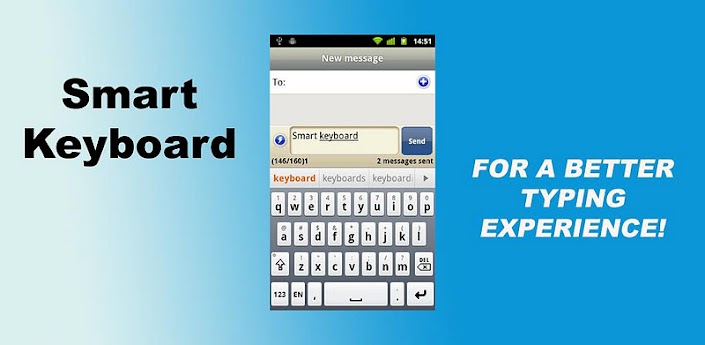
Smart Keyboard PRO 3.12.0 Apk free Download


Description

Enjoy an improved typing experience!
Smart Keyboard Pro is a fast multitouch keyboard with multi-language support, skins, voice input, T9 and compact mode, Smart dictionary, custom Auto-Text, hard keyboard support, calibration, and many other appearance and prediction options. Get it now and see by yourself why it is the best rated keyboard app on the Market!
IF YOU HAVE UNEXPECTED ISSUES AFTER THE UPDATE, UNINSTALL / REINSTALL THE APP AND RESTART YOUR PHONE.
Don't forget to read the FAQ and the users' guide on the web site if you have problems, answers to most common issues are there!
*** To enable the keyboard, go to “Language and keyboard” settings, and check “Smart Keyboard Pro” box. Then long press in any text input area until a popup menu appears, select "Input Method" in this menu, and choose "Smart Keyboard PRO" in the list.
You can long press 123 key any time to enter keyboard settings.
A trial version is available on the market (look for the app "Smart Keyboard Trial"). Note that this Pro version is a standalone app, you don't need the Trial to use it.
If you find bugs such as FORCE CLOSE issues, please go to the web site and CONTACT THE SUPPORT. If you want help, it's completely useless to leave bad comments here as we cannot contact you!
Ignore the warning about the keyboard "collecting your personal data", this is a standard Android message when you activate any third party input method.
Contains layouts for the following languages (check the market for available dictionaries):
Afrikaans
Albanian: shqip
Arabic: العربية
Armenian: Հայերեն
Azerbaijani: Azərbaycanca
Belarusian: Беларуская
Bosnian: Bosanski
Bulgarian: Български
Catalan: Català
Chinese: 中文
Croatian: Hrvatski
Czech: Čeština
Danish: Dansk
Dutch: Nederlands
English
Esperanto
Estonian: Eesti
Finnish: Suomi
French: Français
Greek: Ελληνικά
Georgian: ქართული
German: Deutsch
Hebrew: עברית
Hungarian: Magyar
Icelandic: Íslenska
Indonesian: Bahasa Indonesia
Italian: Italiano
Japanese: 日本語
Kazakh: Қазақша
Korean: 한국어
Latvian: Latviešu
Lithuanian: Lietuvių
Luxembourgish: Lëtzebuergesch
Macedonian: Македонски
Mongolian: Монгол
Norwegian: Norsk
Persian: فارسی
Polish: Polski
Portuguese: Português
Romanian: Română
Russian: Русский
Serbian: Српски
Slovak: Slovenčina
Slovenian: Slovenščina
Spanish: Español
Swedish: Svenska
Ukrainian: Українська
Tatar: Татарча
Thai: ไทย
Turkish: Türkçe
Vietnamese: Tiếng Việt
User Reviews
5 star  10,983
4 star  2,534
3 star  655
2 star  252
1 star  434
Average rating:
4.6
14,858


Advanced Task Manager v5.30 APK Free Download


Description

Use Advanced Task Manager to end applications, speed up phone, and save battery!
One of the first and most popular Task Managers.
Use Advanced Task Manager to end applications, speed up phone, and save battery!
1) Tablet support with specific layouts for large screens
2) Charts and visuals to view system information
3) Terminate Apps via App Detail Page
4) Shows Battery, Memory, & device Info
5) Shortcuts to useful tools
6) SD Card Management (Move apps between phone and sd card. Requires you to be on Android 2.2 at least).
7) Bulk Uninstall
8) Press-to-End Shortcut (instead of widget).
The press-to-end shortcut (accessible by long pressing home screen and choosing shortcut) replaces the widget.
For Cliq users, your android version is not at least 1.6. It should not have been shown to you as an upgradeable version. This is a glitch via the Android Market since I require at least Android 1.6. This is why you guys are unable to download or install the application.
The new interface requires Android 2.2.


User Reviews

5 star  5,477
4 star  1,468
3 star  382
2 star  146
1 star  305
Average rating:
4.5
7,778


Sunday, July 8, 2012

Smart Tools v1.4.4 Apk Free Download


Description

Measure length, angle, distance, height, direction and sound with your phone.
Smart Tools is a complete package of 5 app sets. It includes 5 Pro sets for a total of 15 tools. In a word, All-in-One.
Set 1: Length, Angle, Slope, Level, Thread - Smart Ruler Pro
Set 2: Distance, Height, Width, Area - Smart Measure Pro
Set 3: Compass, Metal detector, GPS - Smart Compass Pro
Set 4: Sound level meter, Vibrometer - Sound Meter Pro
Set 5: Flashlight - Smart Light Pro


User Reviews

5 star  6,724
4 star  2,637
3 star  498
2 star  114
1 star  321
Average rating:
4.5
10,294


Related Posts Plugin for WordPress, Blogger...

Share

Twitter Delicious Facebook Digg Stumbleupon Favorites More